![Bionic-Logo-184x60-white.png]](https://help.bionic-ads.com/hs-fs/hubfs/Bionic-Logo-184x60-white.png?height=40&name=Bionic-Logo-184x60-white.png)
The integration with X (formerly Twitter) will enable you to connect with X (formerly Twitter) via an API to automate the connection process and data delivery.
In this help article, we'll cover the steps on how to connect X (formerly Twitter):
Setup X (formerly Twitter) Integration
The connection to X (formerly Twitter) is completed during the integration setup process. X (formerly Twitter) requires a separate connection for each advertiser account (think of each as a unique account number), so a separate integration must be created for each one.
If you have an advertiser in Bionic with sub-advertisers, only one X (formerly Twitter) integration is needed for all of them, provided they all use the same X (formerly Twitter) account.
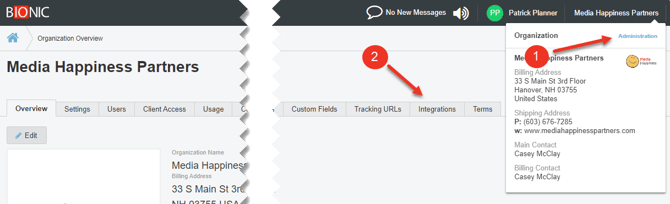
- Go to your Administration section.
- Select the Integrations Tab.
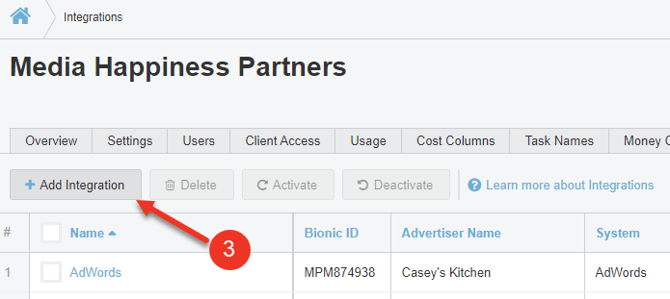
- Click on the Add Integration Button.
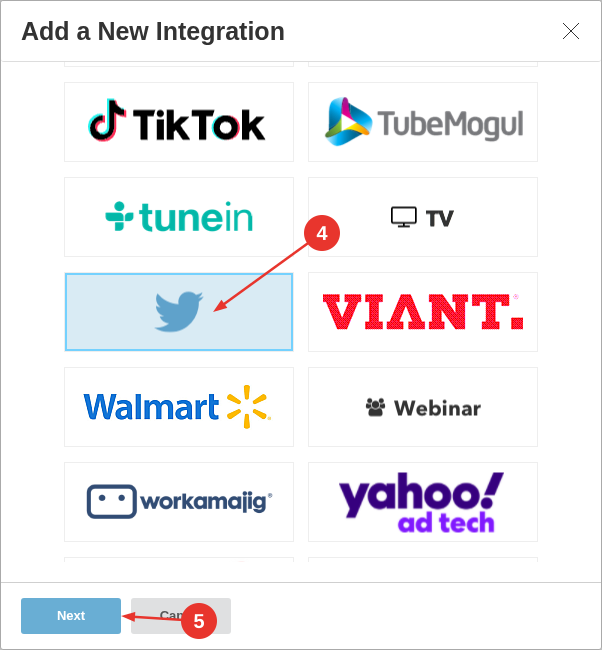
- Select X (formerly Twitter).
- Press Next.
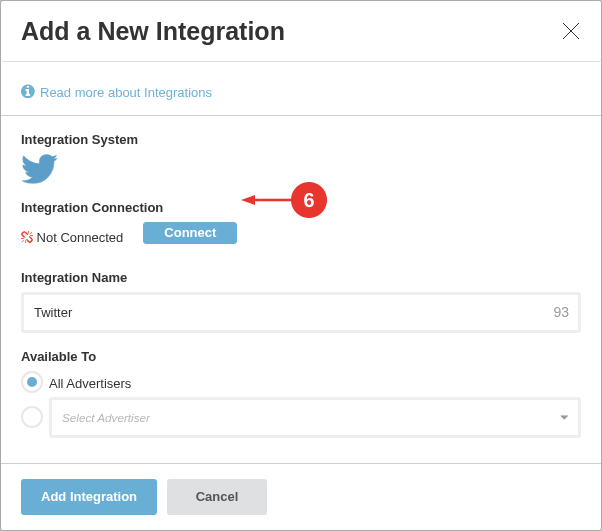
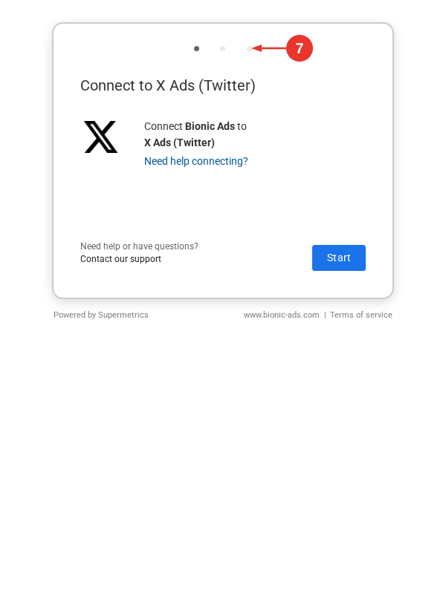
- Press Connect.
NOTE: Some authorization screens may reference Supermetrics, which powers the integration used by Bionic. - Follow the login prompt for X (formerly Twitter).
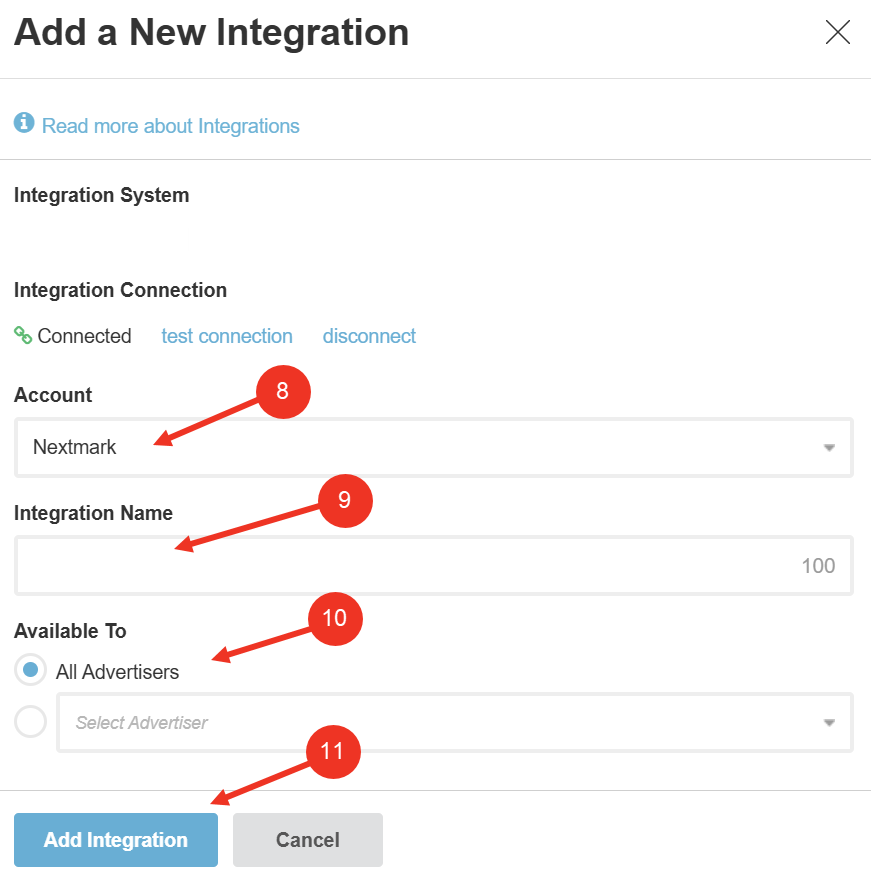
- Select the Advertiser Account to tie the connection with.
- Enter an Integration Name. (NOTE: This should be named clearly to define which advertiser account it is related to.)
- Select the appropriate Available To permission: Select All Advertisers if this integration will be used for more than one advertiser or Select a Specific Advertiser if ONLY THIS advertiser will use this integration.
- Press Add Integration.
Here is how data will map from X (formerly Twitter) to Bionic:
| X (formerly Twitter) Field | Bionic Field | Notes |
| Time |
Date |
Date of results |
| Time period |
Date |
Date of results |
| Day |
Date |
Date of results |
| id | Source ID | Used for mapping |
| Campaign ID | Source ID | Used for mapping |
| Tweet Id | Source ID | Used for mapping |
| Tweet Text | Source Name | Used for mapping to Bionic Placement ID <BA:ID> |
| Campaign Name | Source Name | Used for mapping to Bionic Placement ID <BA:ID> |
| Spend | Net Media Cost | See Net Media Cost Actuals Based on Cost Method |
| Clicks | Clicks | KPI |
| Conversions | Conversions | KPI |
| Impressions | Impressions | KPI |
| engagements | engagements | KPI |
| Tweet engagements | engagements | KPI |
| favorites | Favorites | KPI |
| Follows | Follows | KPI |
| Leads | Leads | KPI |
| Likes | Likes | KPI |
| Replies | Replies | KPI |
| Retweets | Retweets | KPI |
| Unfollows | Unfollows | KPI |
| Media views | Views | KPI |