![Bionic-Logo-184x60-white.png]](https://help.bionic-ads.com/hs-fs/hubfs/Bionic-Logo-184x60-white.png?height=40&name=Bionic-Logo-184x60-white.png)
The integration with Google Search Ads 360 will enable you to connect with Google Search Ads 360 via an API to automate the connection process and data delivery.
In this help article, we'll cover the steps on how to connect Google Search Ads 360:
Setup Google Search Ads 360 Integration
The connection to Google Search Ads 360 is completed during the integration setup process. Google Search Ads 360 requires a separate connection for each advertiser account (think of each as a unique account number), so a separate integration must be created for each one.
If you have an advertiser in Bionic with sub-advertisers, only one Google Search Ads 360 integration is needed for all of them, provided they all use the same Google Search Ads 360 account.
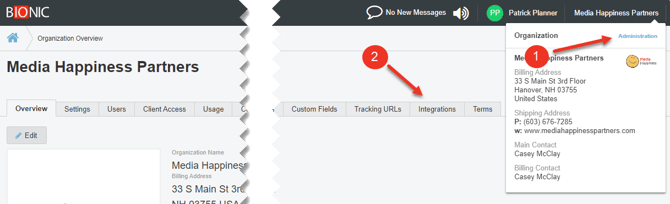
- Go to your Administration section.
- Select the Integrations Tab.
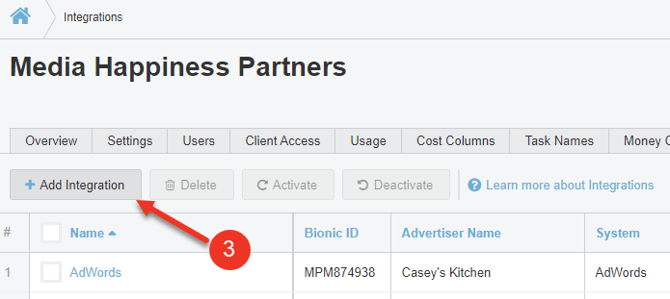
- Click on the Add Integration Button.
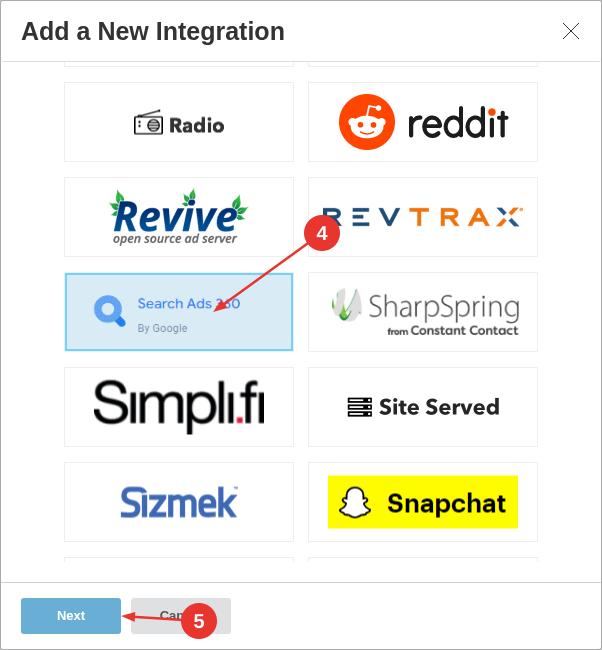
- Select Google Search Ads 360.
- Press Next.
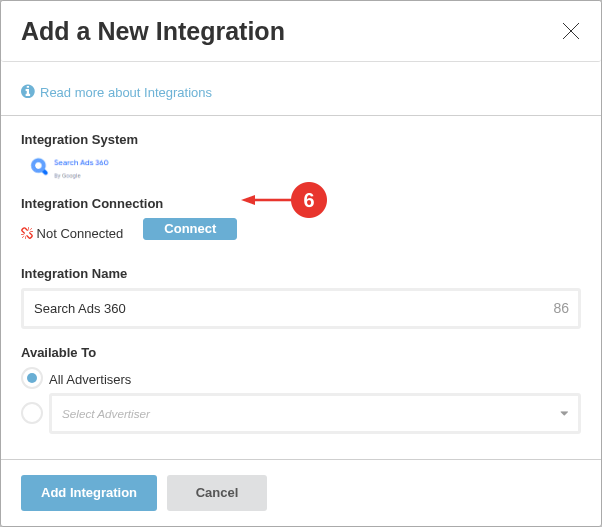
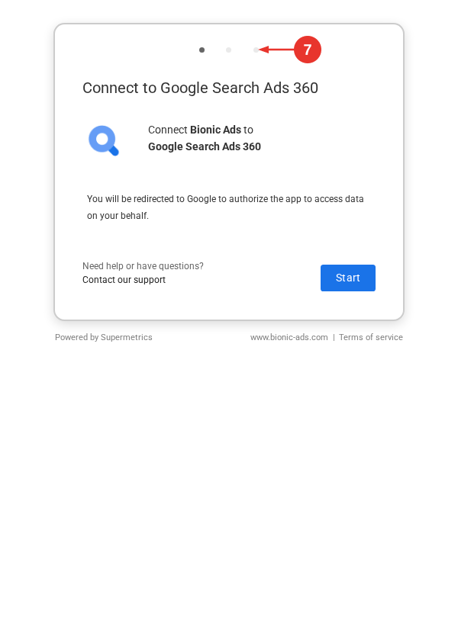
- Press Connect.
NOTE: Some authorization screens may reference Supermetrics, which powers the integration used by Bionic. - Follow the login prompt for Google Search Ads 360.
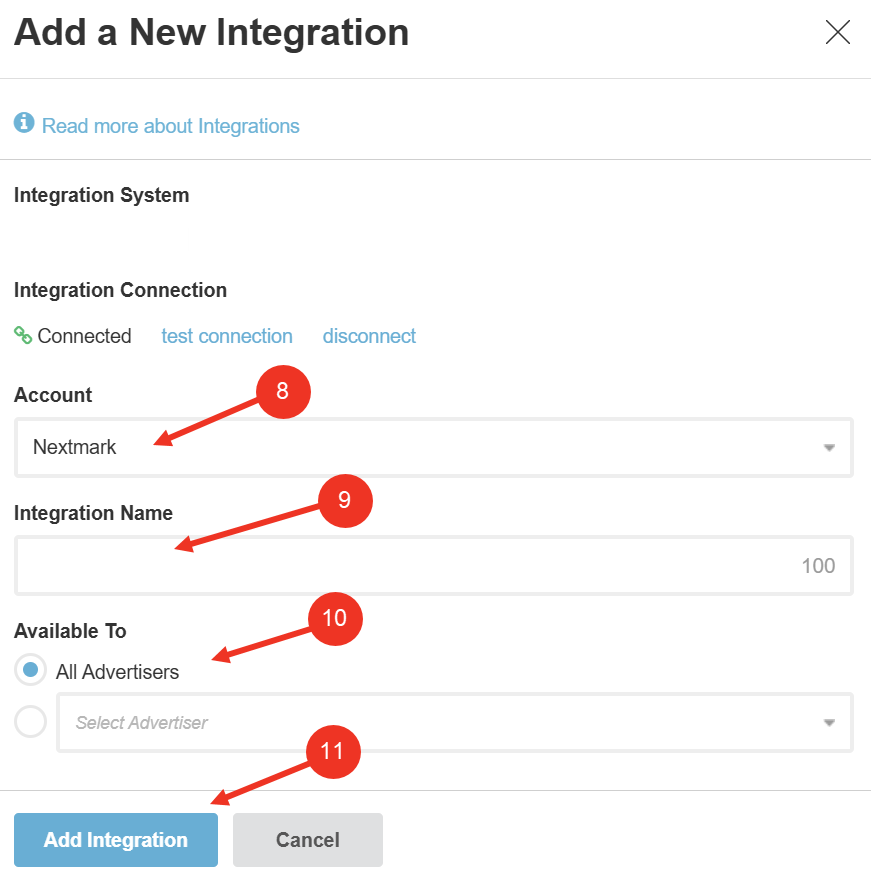
- Select the Advertiser Account to tie the connection with.
- Enter an Integration Name. (NOTE: This should be named clearly to define which advertiser account it is related to.)
- Select the appropriate Available To permission: Select All Advertisers if this integration will be used for more than one advertiser or Select a Specific Advertiser if ONLY THIS advertiser will use this integration.
- Press Add Integration.